Session, Sets and Tagging
Activities like tennis typically follow a specific structure. CueMate provides tools to organize your session and record contextual information that can be beneficial for later review.

Session Structure
Tennis sessions typically involve continuous periods of play, that we call sets, interrupted by pauses. The first set is often used to warm up. Different sessions have different degree of organization. In free play, players usually rally and take breaks to rest. In training sessions, sets are often used to focus on specific aspects of their performance. In match point, the set structure is determined by the game.
A typical session lasts between 60 and 120 minutes and a typical stroke count per hour is from 250 to 600 depending on the intensity.
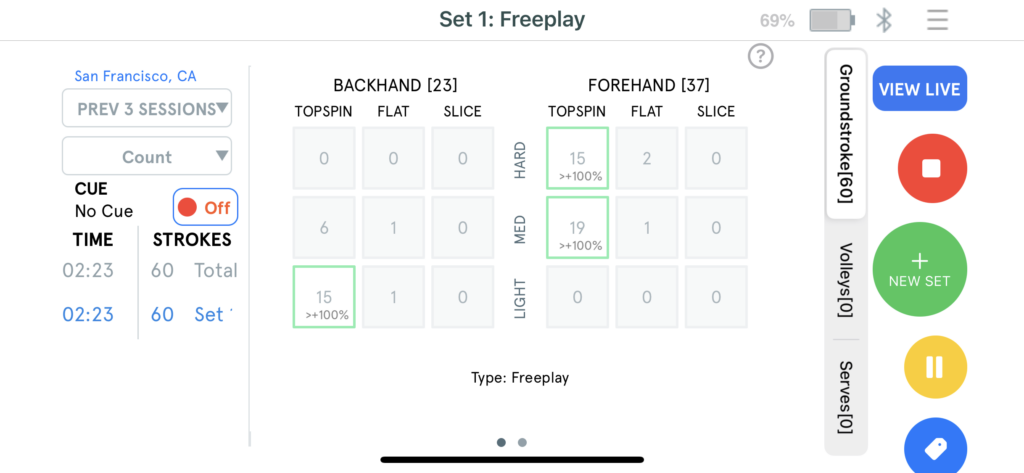
During play, the app populates the Stroke Map with data from the current set. During breaks you can review your performance using trend indicators on the stroke map. This information can be used to make decisions about your next set.
Tagging
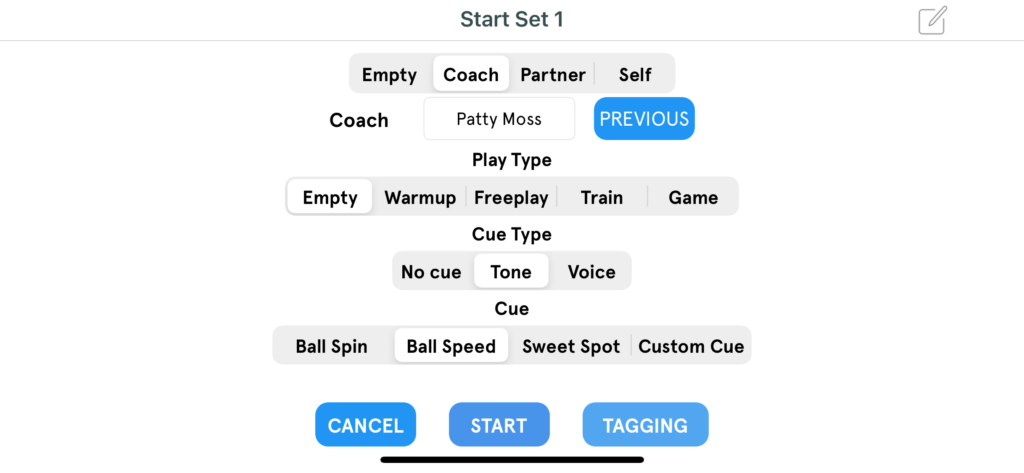
CueMate provides tools to tag your sets and sessions. This information is useful when you review your sessions and also helps CueMate get contextual information about your performance.
Tagging is divided into general tagging and extended tagging.
General tagging includes the following categories:
- Partner Type: Coach, Partner, Self)
- Partner Name
- Play Type: Warmup, Free play, Train, Game
- CueType: Tone and Voice
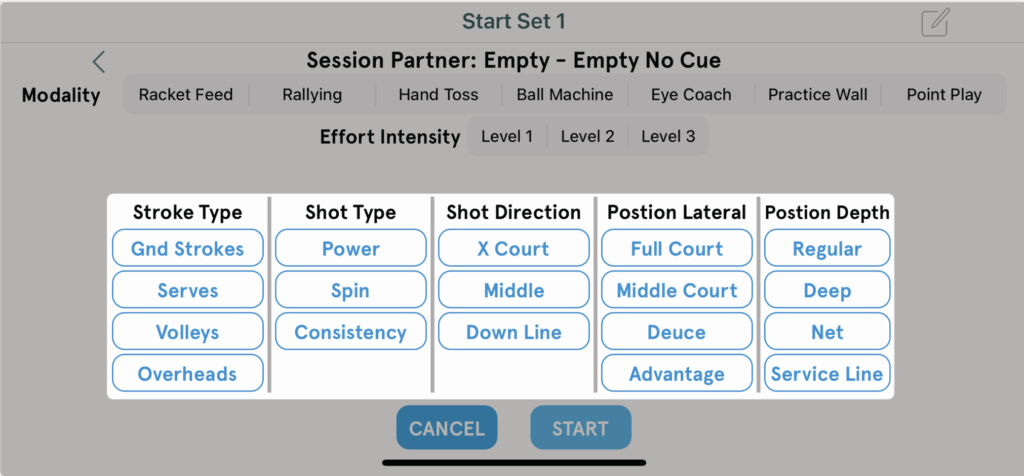
Extended tagging covers details that are useful to track your training performance, including shot types, court positions, exchange patterns.